

To transmit a document outside your organization, favor irreversible anonymization: true redaction and complete metadata purging. For internal use or with AI like ChatGPT or Claude, reversible pseudonymization is sufficient and more practical.
The decision rule fits in one sentence: if you must be able to restore the original identity, pseudonymize with a secure key; otherwise, redact and purge with no way back. GDPR Article 4(5) precisely distinguishes these two concepts, and the Court of Cassation already applies this continuum when publishing its decisions.
- Permanent public or external distribution → irreversible anonymization
- Internal work, AI, data room with possible restoration → reversible pseudonymization
- When in doubt, document your choice: a GDPR audit will require it
Pro tip: Never mistake a black rectangle laid over a PDF for true redaction. If the text remains selectable underneath, the anonymization is null and void.
Key points
Anonymizing a document requires choosing between total irreversibility and reversible pseudonymization depending on whether the file leaves or stays within your perimeter.
| Point | Details |
|---|---|
| - | - |
| Choose the right method | Anonymize irreversibly for external distribution, pseudonymize for internal or AI use. |
| Purge beyond the visual | Redaction without purging the text layer and metadata protects nothing. |
| Test before distribution | Search for the masked name and open the file in plain text to validate processing. |
| Document for audit | Keep anonymization report, file fingerprint and operations log. |
| Automate at volume | Safe-doc processes documents in real time without storage and provides restoration key and audit report. |
Table of contents
- Anonymize a document: the 6-step checklist before sending
- What methods exist for masking sensitive information?
- How to validate and measure residual risk after anonymization?
- How to anonymize a PDF and a Word file step by step?
- Anonymization or pseudonymization: what does the GDPR say?
- What most guides forget to say
- Safe-doc: professional pseudonymization without changing your habits
- Sources
- Frequently asked questions
Anonymize a document: the 6-step checklist before sending
Before transmitting a sensitive file, follow this sequence, whether it's a contract, HR file or legal document.
1. Export a working copy and keep the original sealed, never modified.
2. Remove or replace visible identifiers: names, email addresses, phone numbers, client references.
3. Purge tracked changes and version history, often forgotten.
4. Apply permanent redaction or keyed pseudonymization, depending on the document's purpose.
5. Check the text layer, especially on documents scanned with optical character recognition (OCR).
6. Generate an anonymization report with digital fingerprint and test re-identification before distribution.
Pro tip: Search for the data subject's name in the final file. If it returns a single result, your anonymization isn't finished.
What methods exist for masking sensitive information?
Five approaches coexist, each addressing a different risk. Manual deletion involves erasing or replacing words one by one in a word processor. Quick on a short document, it becomes risky as volume increases: an oversight happens easily.
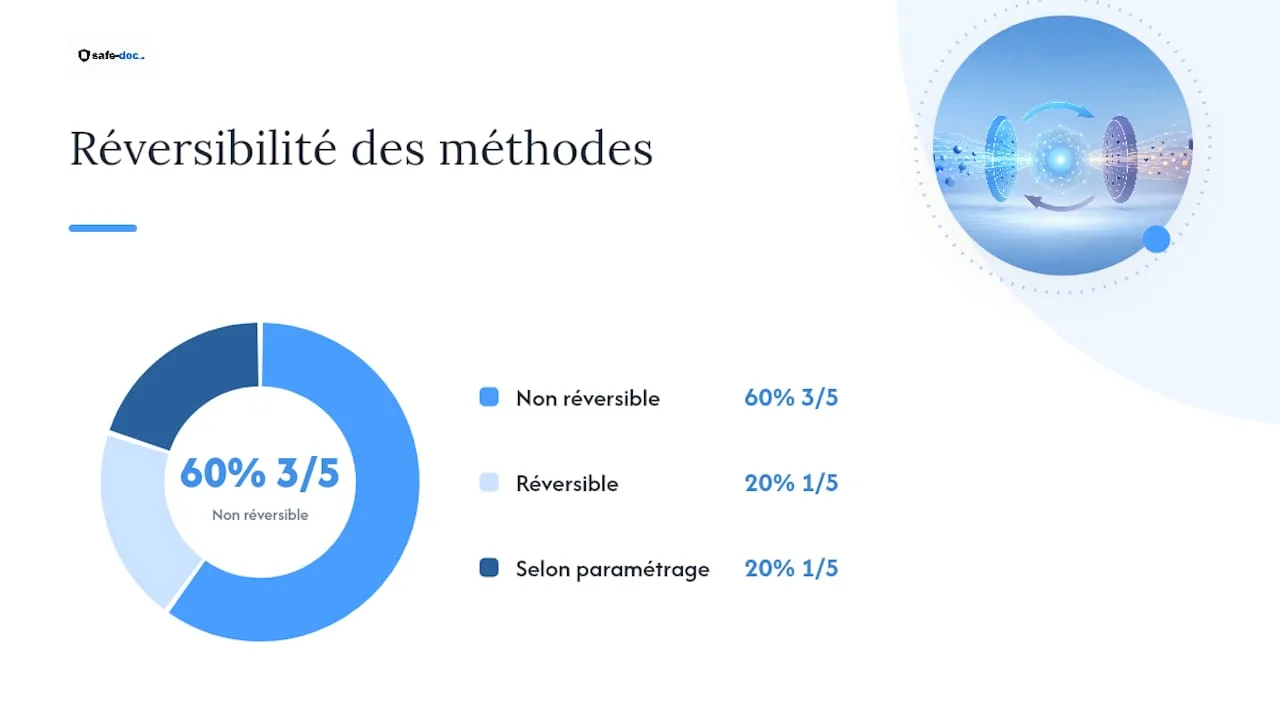
True redaction physically destroys the data beneath the visual mask. It's the only method that truly protects a publicly distributed PDF, provided you use a permanent redaction function and not simply a graphic overlay.
Metadata purging targets information invisible on screen: file author, revision history, comments, GPS coordinates in an image. An Agilotext practical guide notes that visual redaction without purging the text layer leaves data accessible to anyone who copies the content.
Pseudonymization replaces identifiers with aliases while keeping a correspondence key somewhere. It's perfectly suited to internal work or AI use, since it allows restoring the real identity if needed.
Automation, finally, becomes essential once volume exceeds a few isolated documents: PDF batches, data rooms, audit files. An automated engine detects entities, applies the chosen rule and produces evidence-inefficient to do manually on large volumes.
| Method | Reversible | Main risk avoided |
|---|---|---|
| - | - | - |
| Manual deletion | No | Human error on small volume |
| True redaction | No | Re-identification via text copy |
| Metadata purging | No | Leak via file properties |
| Pseudonymization | Yes, via key | Loss of internal data use |
| Automated anonymization | Depending on settings | Volume and processing inconsistency |
The most frequent trap remains the black rectangle laid over a PDF without permanent redaction:
- The text remains selectable and copyable beneath the mask
- Original metadata (author, company, history) is never removed
- The OCR layer of a scan keeps the raw text, invisible but extractable
How to validate and measure residual risk after anonymization?
Anonymizing a document doesn't stop at processing itself. You must prepare, validate and prove.
Preparation begins before even opening the file: identify the distribution purpose, the legal basis for processing, the recipients, and systematically archive the original in a separate space.
Then comes validation, with three simple but often neglected practices:
- Targeted manual control on risk areas (headers, footers, annexes)
- A basic re-identification test: search for names, copy-paste content, open in a plain text reader
- Cross-review by a compliance officer or DPO, separate from the person who processed the file
On the evidence side, a solid audit file includes an anonymization report detailing processed entities, an SHA-256 fingerprint of the final file, a time-stamped operations log and proof of archiving the original. Experiences with local tools like Anoni show these reports can be generated without ever transmitting the personal data itself, only technical metadata.
Pro tip: If pseudonymizing, store the correspondence key in an encrypted vault separate from the processed document, with restricted permissions and API traceability of access.
How to anonymize a PDF and a Word file step by step?

The two most common office formats require different approaches.
For a Word file, follow this sequence:
1. Use Find/Replace to systematically locate names, first names and references.
2. Purge tracked changes: accept or reject all revisions before continuing.
3. Run the Inspect Document function to spot hidden properties, comments and hidden text.
4. Save a separate copy, never simply overwrite the original file.
For a PDF, the logic changes from the start:
- First determine whether the document is native text PDF or an image scan requiring OCR.
- Use a permanent redaction function, never a simple graphic layer.
- Flatten or re-export the file without residual text layer if the tool allows.
- Purge PDF metadata (author, source software, creation dates).
Before sending, three checks generally suffice: try selecting text on masked areas, search for the data subject's name, and open the file in a plain text reader to spot any residue. On a Word document from a scan, also test OCR recognition to verify no invisible layer remains.
Anonymization or pseudonymization: what does the GDPR say?
The GDPR settles this question in Article 4(5): anonymization makes re-identification irreversibly impossible, while pseudonymization replaces identifiers with aliases while keeping a restoration key. This distinction isn't theoretical; it determines whether a document remains subject to the regulation or leaves its scope entirely.
A truly anonymized document falls outside the GDPR's scope. A pseudonymized document remains personal data in the eyes of the law, since re-identification remains possible via the key.
The Court of Cassation applies this continuum when publishing its decisions as open data: concealing surnames, first names, addresses and identifying numbers, combined with internal pseudonymization engines that maintain traceability for judicial needs.
- Document the choice made (anonymization or pseudonymization) and its justification
- Keep an anonymization report and file fingerprint in case of audit
- A recent decree of August 22, 2025 even authorizes substituting a redacted version for certain administrative filings, avoiding unnecessary exposure of personal addresses in articles of incorporation or minutes.
What most guides forget to say
Most online tutorials treat anonymization as a one-time operation, something you do once before sending a file. That's a framing error. The real risk isn't the isolated document-it's the flow: dozens of files processed by hand, each with its own margin of error, without logs or proof.
The black rectangle reflex remains, in my view, the most underestimated blind spot on this topic. Experienced lawyers continue to visually redact a PDF without checking the text layer, convinced the operation is finished. It's only just beginning.
The other blind spot concerns pseudonymization used with generative AI. Many teams manually delete names before pasting text into ChatGPT, without ever restoring the data or tracing the operation. This is neither clean anonymization nor usable pseudonymization. It's an in-between that protects no one and complicates any subsequent audit.
Prioritize proof over speed. An anonymized document without a report or re-identification test has value only if no one ever challenges it.
Safe-doc: professional pseudonymization without changing your habits
Safe-doc processes your documents in real time, without durably storing them, and detects over 90 types of sensitive data before they reach an AI like ChatGPT or Claude.
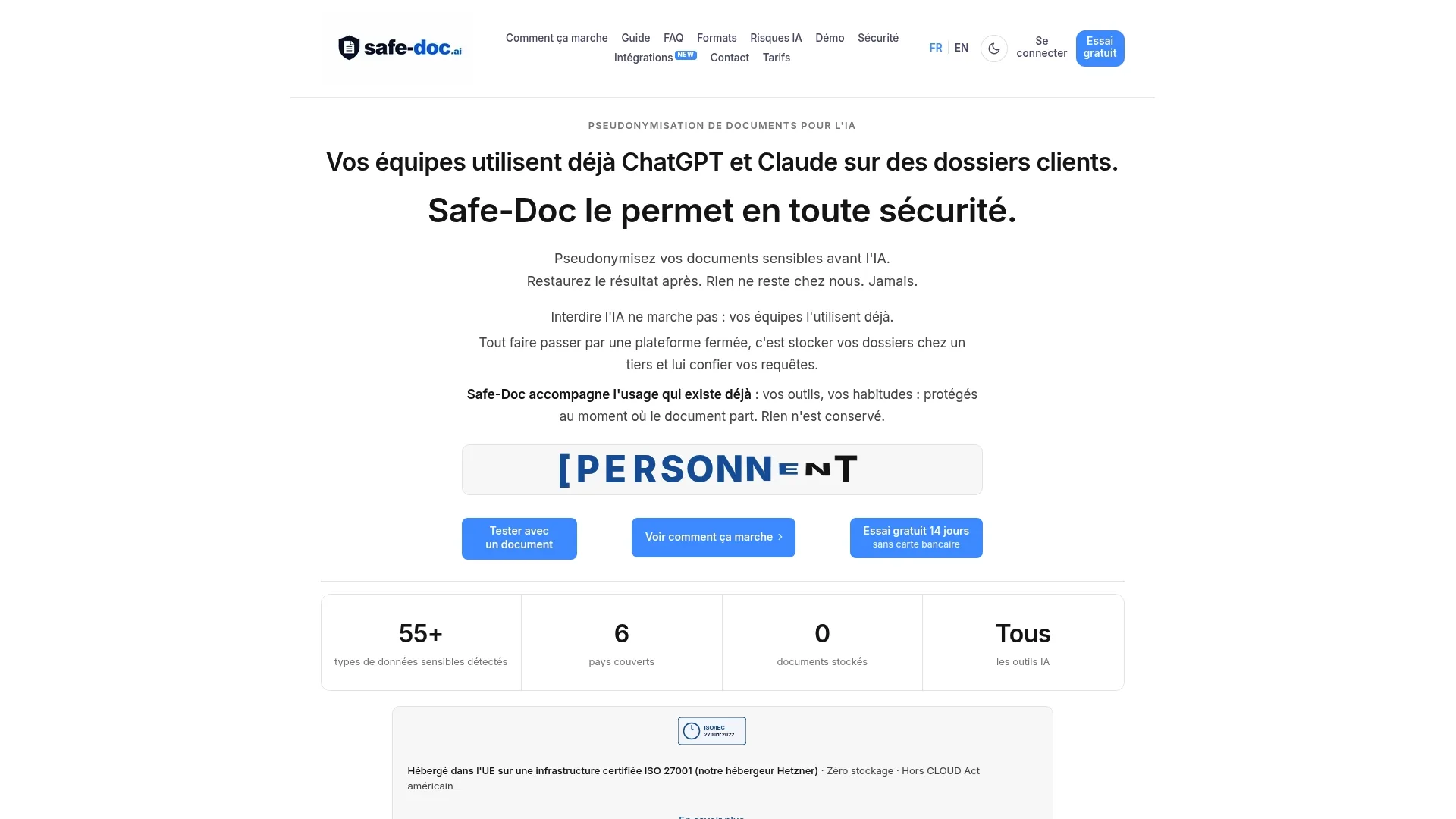
Unlike manual redaction that takes hours and always leaves an oversight, Safe-doc automatically generates an encrypted restoration key and an audit-ready anonymization report. It's the difference between processing an isolated document by hand and securing an entire flow of sensitive files, without losing your day.
This approach particularly suits large volumes: legal files, merger-acquisition data rooms, financial audits, where internal data restoration remains necessary and where API integration saves considerable time. Compliance officers and DPOs find a tool designed for their documentary obligations, without giving up their teams' daily AI use. Test the online demo to evaluate, on your own files, the time Safe-doc saves you before your next distribution.
Sources
- Digitization and anonymization of judgments: The experience of the Court of Cassation - AHJUCAF
- How to anonymize a document (Word, PDF): practical method - Agiloshield / Agilotext
This article constitutes general information and does not replace advice from a qualified lawyer. Consult a qualified legal professional regarding your individual case before acting on the basis of this content.
Frequently asked questions
What is the difference between anonymizing and pseudonymizing a document?
Anonymization permanently removes any means of identifying a person. Pseudonymization replaces identifiers with aliases while keeping a key allowing restoration of the original data if needed.
How to anonymize a PDF file without specialized software?
First check whether the text is native or scanned, apply a permanent redaction function rather than just a visual mask, then purge the file's metadata before any sending.
Is a simple black rectangle enough to redact a document?
No. If the text remains selectable or copyable beneath the mask, the data remains accessible despite the visual appearance of anonymization.
Should metadata be purged even after successful redaction?
Yes, systematically. Metadata (author, history, comments) can reveal sensitive information independent of the document's visible content.
When to favor automated over manual anonymization?
As soon as volume exceeds a few isolated files, or the context requires subsequent data restoration, such as in a data room or financial audit.