


A new employee's first day is also when your organization is most exposed. To secure data during onboarding, three actions are non-negotiable from day one: activate MFA, apply the principle of least privilege via RBAC, and deliver GDPR-compliant information per Article 13. Everything else flows from these three pillars.
Priority actions to launch immediately:
- MFA and RBAC from day 1: create a user account with rights limited to the strict minimum for the role, MFA activated before first access.
- Data minimization (Art. 5(1)c GDPR): collect only information essential to the role; prohibit any field related to health, religion, or social security number unless explicitly required by law.
- Regulatory documentation: record the processing in the register of activities (Art. 30) and trigger a Data Protection Impact Assessment (DPIA) if the processing presents high risk (Art. 35).
- Pseudonymization of sensitive HR documents: CVs, certificates, evaluations-pseudonymize before storage or sharing to protect personally identifiable information (PII) in the event of unauthorized access. Safe-doc is designed precisely for this use case.
Table of contents
- Your operational action plan: before arrival, day one, 30 and 90 days
- What are your concrete GDPR obligations for recruitment and onboarding?
- How to manage access securely from day one?
- Secure endpoints and mobiles from arrival, including remote work
- Pseudonymization of HR documents: how it works and why it differs from anonymization
- Train new hires on security without drowning them in information
- Logging, audits, and incident response during onboarding
- Ready-to-use templates and checklists for HR and IT
- Key points
- Onboarding: a window of vulnerability too often underestimated
- Safe-doc: pseudonymize your sensitive HR documents from onboarding
- Sources and references for further reading
Your operational action plan: before arrival, day one, 30 and 90 days
A structured timeline avoids costly oversights. The table below divides tasks between HR and IT with expected proof of execution.
| Stage | Key tasks | Responsible | Proof of execution |
|---|---|---|---|
| Before arrival | Check the ATS (data minimization), create RBAC profile according to role, open the processing register | HR + IT | Updated register, documented RBAC profile |
| Day one | Create limited user account, secure enrollment (no temporary password by email), MFA activated, sign confidentiality agreement, deliver Art. 13 information | IT + HR | Account creation log, signed GDPR acknowledgment |
| 30 days | Review access rights, cybersecurity training (phishing, passwords), verify MDM and disk encryption | IT | Access review report, training completion rate |
| 90 days | Internal compliance audit, purge or archive selection data (max. 2 years per CNIL), DPIA review if applicable | DPO + HR + IT | Signed audit report, purge logs |
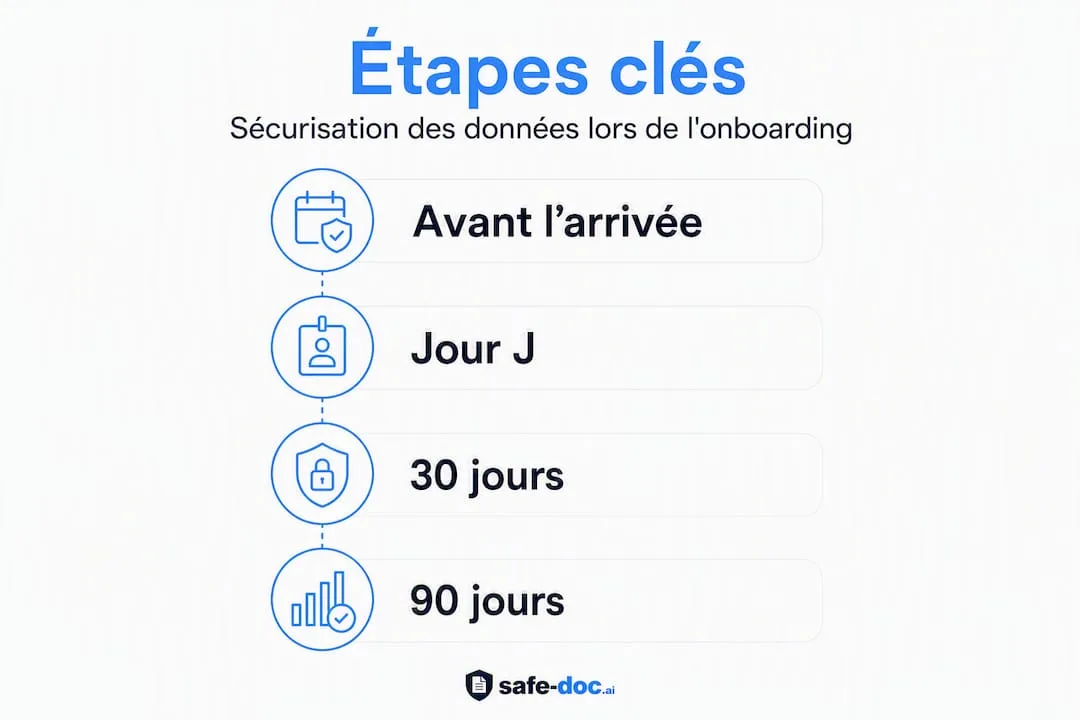
Automated provisioning significantly reduces the exposure window for new accounts and minimizes human error during onboarding. Linking this workflow to your HRIS or ATS eliminates delays between the hiring decision and actual access creation.
What are your concrete GDPR obligations for recruitment and onboarding?
Minimization and prohibited fields
The principle of minimization (Art. 5(1)c GDPR) prohibits collection of data not strictly necessary during recruitment. In practice, this means banning from HR forms any field relating to health status, religion, political opinions, detailed family situation, or social security number unless there is an explicit legal requirement. A compliant application form is limited to name, professional contact details, qualifications, and experience relevant to the position.
Register of activities and DPIA
Maintaining the register of processing activities (Art. 30) is mandatory for all HR processing: recruitment, onboarding, access management. Each entry must document the purpose, data categories, recipients, and retention periods. A DPIA (impact assessment) becomes mandatory when processing presents high risk to individuals' rights: large-scale profiling, automated psychometric testing, processing of biometric data for access control.
Retention periods and candidate rights
The CNIL recommends keeping unsuccessful applications for a maximum of 2 years after last contact. Separating selection data (CVs, interview notes) from the contractual HR file and automating deletion after the legal period avoids undue retention that could lead to sanctions. Information to candidates on purpose and retention period must be provided at collection, in accordance with Art. 13.
Pro tip: Create two separate storage spaces in your HRIS: a "selection" space with automatic 2-year purge, and a "contractual file" space with retention period adapted to legal obligations. This physical separation makes CNIL audits immediately readable.
How to manage access securely from day one?
RBAC, least privilege, and role templates
Applying role-based access control (RBAC) means creating access profiles by business function rather than assigning individual rights case by case. A "junior sales" profile does not need access to payroll data; an "operational HR" profile does not need to review network configurations. These templates reduce attack surface and simplify audits.
- Least privilege: assign only rights necessary for the role, reviewable at 30 days.
- Centralized SSO: centralize authentication via single sign-on to limit credential proliferation.
- Mandatory MFA: require multi-factor authentication from first access, without exception, including for service accounts.
- Automated provisioning: link the account creation workflow to the ATS or HRIS to automatically trigger creation and revocation of access based on employee status.
- Logging: record each creation, modification, or revocation of access with timestamp and operator identifier.
Pro tip: For remote onboarding, integrate an identity verification step with liveness detection during account creation. This measure reduces the risk of identity theft, an attack vector amplified by remote work.
Monthly account reconciliation-verifying that each active account corresponds to an employee in position with the correct role profile-is the simplest measure to detect access drift before it becomes an incident.
Secure endpoints and mobiles from arrival, including remote work
The endpoint is the first point of contact between the new hire and your data. An uncontrolled workstation nullifies all upstream access controls.
Minimum measures for day one:
- Hardened standard image with separate local accounts (administrator distinct from current user).
- Full disk encryption activated before handing over the workstation.
- MDM solution (mobile device management) applied to all devices accessing corporate resources, including personal devices in BYOD contexts.
- VPN or network access with strong authentication for remote work, no shared credentials.
- Security patches verified before deployment; EDR deployed if available.
For BYOD scenarios, the rule is isolation: corporate data must be compartmentalized in an encrypted container, with a remote wipe policy activatable in case of loss or departure. Application access must be controlled independently of the endpoint operating system.
Pro tip: Never hand over a workstation without verifying that MDM is properly enrolled and disk encryption is active. A simple automated verification script at startup, sending a report back to IT, is enough to document compliance for the 90-day audit.

Pseudonymization of HR documents: how it works and why it differs from anonymization
Pseudonymization vs. anonymization: the distinction that matters
Pseudonymization replaces direct identifiers (name, social security number, address) with pseudonyms, while preserving a secure mapping that allows controlled restoration. Anonymization permanently removes any link to the individual: irreversible by design. For common HR processing-CV analysis, internal mobility evaluation, AI tool usage-pseudonymization is the appropriate measure: it protects PII while preserving the ability to restore original data if necessary.
Pseudonymization is among the technical measures recommended by GDPR doctrine to limit personal data exposure in the event of unauthorized access.
Recommended workflow
- Identify sensitive fields: surname, first name, date of birth, contact details, social security number, any health data.
- Pseudonymize at source: before any centralized storage or sharing with third-party tools (AI included).
- Secure mapping: keep the correspondence file in a restricted-access space, separate from the pseudonymized document.
- Auditability: trace each pseudonymization and restoration operation to meet the requirements of Art. 5(1)f GDPR.
Concrete HR use cases
| Document | Risk without pseudonymization | Benefit with pseudonymization |
|---|---|---|
| CVs and cover letters | PII exposure during AI analysis or cross-department sharing | AI analysis possible without exposing candidate identity |
| Certificates and diplomas | Identity data accessible to any HRIS user | Verification possible without access to raw data |
| Evaluations and interview notes | Risk of bias and unauthorized access | Anonymized review for HR calibration |
| Internal mobility data rooms | Full profiles accessible to non-concerned managers | Limited access to decision-relevant data |
Safe-doc in the HR document process
Safe-doc processes documents in real time without storing them, automatically detects over 90 types of sensitive data (PII and confidential information), and exports a reversible mapping for controlled restoration. Its stateless architecture guarantees that no document passes through a third-party server. REST API and MCP integrations allow it to be inserted directly into an ATS flow or existing HR file without changing teams' workflows.
Train new hires on security without drowning them in information
Security training fails when it arrives as a 40-page PDF on day one. The format that works: interactive micro-modules of 10 to 20 minutes, targeted on the concrete risks of the role.
Day one: a single module covering the four essential messages-why data minimization matters, BYOD policy, password and MFA management, and how to report a suspicious incident. Nothing more.
At 30 days: a reminder with phishing simulation. The score of this simulation is the most reliable indicator of actual adoption of best practices. Follow up with a briefing on GDPR obligations specific to the role (HR, IT, end user) with appropriate language: operational for IT, regulatory summary for HR, practical demonstrations for end users.
The CNIL emphasizes that transparency about monitoring tools prevents distrust among new employees. Clearly explaining what is logged and why builds trust rather than undermining it.
Pro tip: Measure three indicators at 30 days: module completion rate, average phishing simulation score, and percentage of users with active MFA. These three metrics are sufficient to manage your awareness program and document your approach for a CNIL audit.
Logging, audits, and incident response during onboarding
What to log
The EDPB notes that security rests on confidentiality, integrity, and availability, and that accessible documentation is a condition for effective risk management. Concretely, events to log during the onboarding period are:
- User account creations and modifications.
- Access rights assignments and revocations.
- Access to sensitive HR files and document exports.
- Failed access attempts and access outside usual hours.
- System administration actions (privilege escalation, configuration changes).
Logs must be immutable: stored in a write-only space, accessible only to the CISO or DPO.
Alerts and incident response
Configure alerts on abnormal behavior: mass access to HR files outside working hours, repeated authentication attempts, unusual export volumes. In the event of an incident involving new hire data, the procedure is: immediate isolation of compromised access, revocation of affected accounts, restoration from pseudonymized mapping if available, then notification to the CNIL within 72 hours if risk to individuals is proven.
The CNIL's practical GDPR guide recommends involving management and appointing a CISO or DPO to formalize security objectives at the organizational level. A formal 90-day audit, with signed report, closes the intensive onboarding period.
Ready-to-use templates and checklists for HR and IT
Fields to include vs. fields to prohibit in forms
| Permitted fields | Prohibited fields |
|---|---|
| Surname, first name, professional contact details | Health status, disability (except voluntary RQTH declaration) |
| Relevant degrees and certifications | Religion, political opinions, union membership |
| Professional experience relevant to the position | Social security number (unless legally required) |
| Availability and start date | Detailed family situation, number of children |
| Bank details (only after hiring) | Photo (except for professions where legally required) |
GDPR information template (Art. 13) to deliver on day one
The document must state: the data controller (company name, contact details), processing purposes (HR management, payroll, system access), legal basis (contract execution, legal obligation), retention periods by data category, recipients (internal services, payroll providers), and individual rights (access, rectification, erasure, portability) with DPO contact details if appointed.
IT checklist for day one
| Action | Status | Responsible |
|---|---|---|
| Standard hardened image applied | ☐ | IT |
| Disk encryption enabled and verified | ☐ | IT |
| MDM enrolled | ☐ | IT |
| User account created with RBAC profile | ☐ | IT |
| MFA enabled and tested | ☐ | IT |
| Logs activated and SIEM feed verified | ☐ | IT |
| Confidentiality agreements signed | ☐ | HR |
| GDPR Art. 13 information delivered | ☐ | HR |
The CNIL and EDPB recommend clear documentation of procedures and training of data controllers to guarantee effective application of security measures. Automating purge of selection data and documenting duration in the processing register are the two actions most often forgotten during audits.
Key points
Securing data during onboarding requires combining MFA, RBAC, GDPR minimization, and document pseudonymization from day one, with a formal audit at 90 days.
| Point | Details |
|---|---|
| MFA and least privilege from day 1 | Activate MFA and create a limited RBAC account before first system access. |
| Minimization and register of processing | Prohibit unnecessary sensitive fields and document each HR processing in the Art. 30 register. |
| Pseudonymization before storage or sharing | Pseudonymize CVs, certificates, and evaluations to protect PII during AI analysis or cross-department reviews. |
| Automated provisioning | Link the access workflow to ATS/HRIS to eliminate delays and human errors in onboarding and offboarding. |
| Safe-doc for sensitive HR documents | Safe-doc pseudonymizes in real time without storage, with reversible mapping and auditability compliant with GDPR Art. 4(5). |
Onboarding: a window of vulnerability too often underestimated
Onboarding concentrates, in a few days, all the conditions for a security incident: access created urgently, sensitive documents exchanged by email, training rushed for lack of time, and HR and IT teams who rarely coordinate early enough. GDPR compliance is often treated as an administrative formality when, fundamentally, it is an operational risk management framework.
What is most often missing is not knowledge of the rules, but structured cooperation between HR and IT from the process design phase. "Privacy by design" is not an abstract concept: it means deciding, before the first hire arrives, which fields to collect, where to store documents, who accesses them, and how to purge them. Pseudonymization of sensitive HR documents fits into this logic: it protects data at the source, before risk materializes, and it enables use of AI tools without exposing candidate or employee PII.
Training, automation, and pseudonymization are not three separate projects. They form a coherent system where each measure reinforces the others. A quick audit of your current onboarding process, starting from the day-one checklist, typically reveals two or three priority gaps to correct before the next recruiting wave.
Safe-doc: pseudonymize your sensitive HR documents from onboarding
HR and IT teams processing CVs, evaluations, or internal mobility data rooms with AI tools face a concrete risk: candidate PII passes through uncontrolled platforms. Safe-doc solves this problem without changing work habits.
The platform automatically detects over 90 types of sensitive data, pseudonymizes in real time without storing any documents, and generates a reversible mapping for controlled restoration. Its zero-storage architecture directly meets the requirements of GDPR Art. 4(5) and the expectations of a CISO during an audit. REST API and MCP integrations allow Safe-doc to be inserted into an existing ATS flow or HR file in just a few hours.
A concrete pilot to launch quickly: pseudonymize incoming CVs and internal mobility files before any AI analysis. Immediate result: GDPR compliance on AI usage, documented auditability, and zero PII exposure. Visit the page dedicated to HR use cases to start a pilot evaluation or request a document mapping audit.
Sources and references for further reading
To verify and apply the obligations described in this article, here are the official resources and practical reference guides:
GDPR compliance and HR obligations:
- CNIL reference framework - Human resources management: the reference document for HR processing in France, covering recruitment, onboarding, career management, and processing register.
- GDPR practical guide - Personal data security (CNIL, 2024 version): recommended technical measures (MFA, pseudonymization, encryption) and CISO/DPO roles.
- CNIL sheet - Protect your employees' data: practical summary on transparency and trust at work.
- EDPB Guide - Securing personal data (SMEs): confidentiality/integrity/availability framework and risk documentation.
- GDPR recruitment - practical guide: minimization, retention periods, and candidate information.
Technical security and access lifecycle:
- Rethinking IT onboarding - IT-Connect: remote identity verification, liveness detection, and secure provisioning.
Pseudonymization and AI usage on HR documents:
- Pseudonymization vs. anonymization - Safe-doc: technical and legal distinctions, document use cases.
- Anonymize HR data - Safe-doc: methods and automation for internal HR processing.
This article presents general information of a practical nature. For any specific situation, consult your DPO, your CISO, or a legal advisor specialized in personal data law, and verify texts in force with the CNIL.